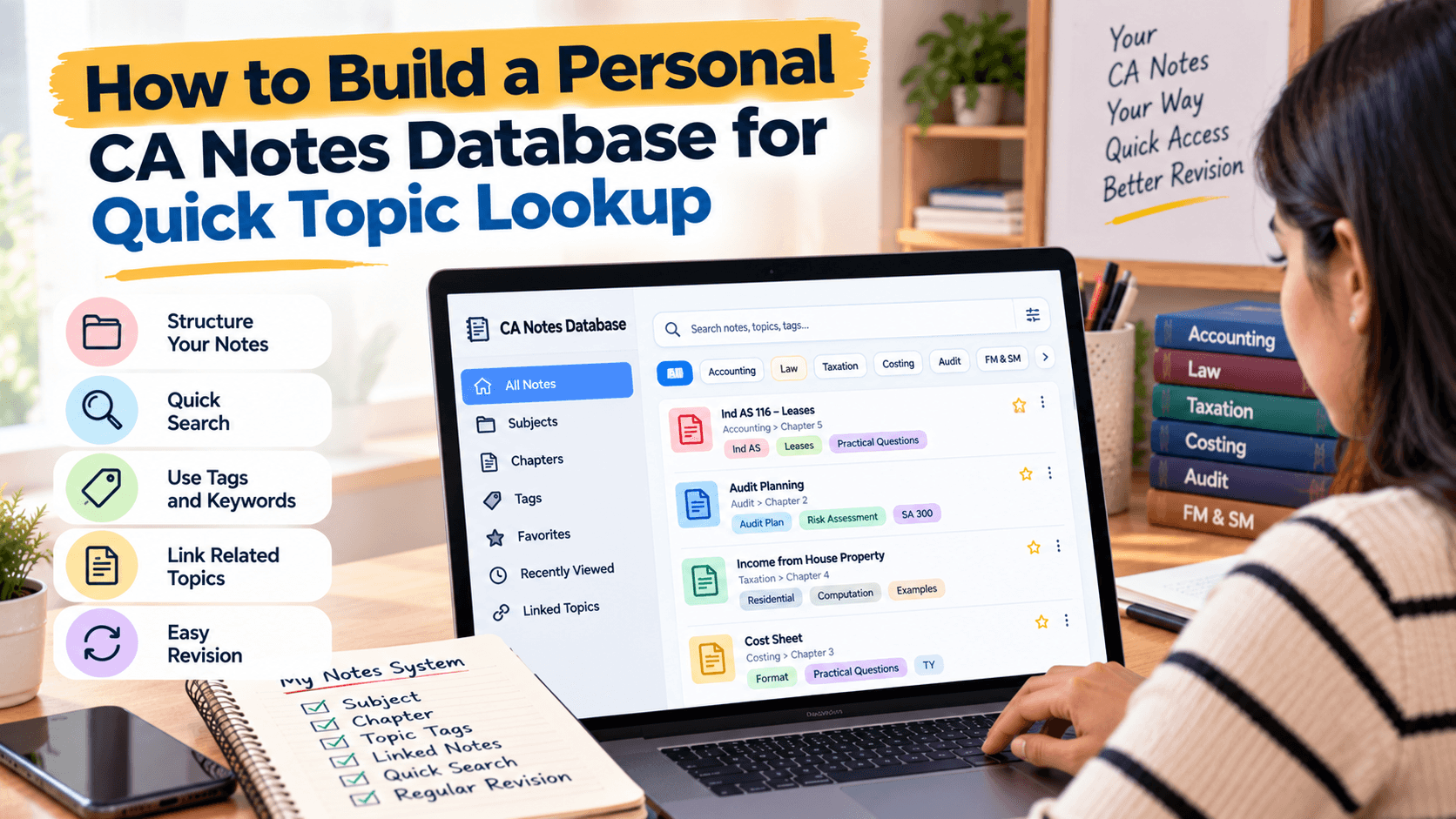
How to Build a Personal CA Notes Database for Quick Topic Lookup
Build a personal CA notes database with topic records, searchable keywords, resource links, revision dates, and an error log to retrieve concepts quickly during exam…
In this article(11 sections)ShowHide
A notes database is an organised collection of records about study material. Each record represents a topic, concept, formula, rule, question type, or recurring mistake. Rather than storing the entire explanation in one massive file, the record identifies the topic and points to detailed notes, practice questions, and revision resources.
Think of it as a catalogue for your learning material. It can show where a topic belongs, which resources explain it, when you last revised it, and whether you have a doubt or error to revisit.
Choose a Tool You Will Maintain
A spreadsheet is a practical starting point because it supports columns, filters, sorting, and links. A note-taking app may be better if you want backlinks and nested pages. A database tool can offer forms and views, but may take longer to configure.
Choose based on real needs. If a spreadsheet lets you find a topic in seconds, there is no need to build a complex system. Test the tool with ten topics before adding your whole library.
Design Useful Database Fields
Start with subject, chapter, topic title, alternate keywords, resource type, file link, last-reviewed date, confidence, and next action. Add exam relevance or question references later if they genuinely help.
Keep fields consistent. Store dates in one format, use a controlled list for subjects, and avoid entering unrelated topics in one record. A small, well-designed database is easier to search and update than a large one with inconsistent entries.
Create One Record Per Useful Topic
A topic record should be specific enough to find quickly. “Tax” is too broad; a named concept or chapter subsection is more useful. If a topic has several parts that require separate revision, create separate records and link them to the broader chapter.
Do not make a record for every sentence or minor point. Use a level of detail that matches how you revise. If you repeatedly search for a concept independently, it probably deserves its own record.
Add Keywords and Alternate Terms
Students often remember a concept by a phrase rather than its official heading. Add common abbreviations, alternate wording, or a question type to the keyword field. Keep the main topic title precise and use the keyword field for variations.
Avoid generic words on every record. Keywords should distinguish the topic and improve search results. If two topics share a phrase, use subject or chapter filters to narrow results.
Link Notes, Questions, and Error Logs
Each record can link to a class note, concise revision sheet, practice set, official reference, or error log. This creates a route from topic lookup to action. Finding a formula should lead not only to the formula sheet but also to a question that checks whether you can apply it.
Use stable links or paths and test them after moving folders. If your app supports internal links, connect related topics so you can navigate from a basic concept to dependent topics.
Track Revision Dates and Confidence
Add a last-reviewed date and a simple confidence rating, such as strong, developing, or needs attention. Base the rating on evidence: can you recall the concept, explain it, and solve a fresh question? Do not rely only on how familiar the notes look.
Use the database to identify topics due for revision. A rating is a planning aid, not a judgement of your ability. Update it after practice or a test.
Use Filters for Different Revision Sessions
Filters can create views without duplicating records. You might view all topics for one subject, all items marked needs attention, all formulas, or topics not reviewed recently. A view of recent test errors can guide a focused practice session.
Keep the number of views manageable. A few useful filters are better than dozens of dashboards that require constant maintenance. Each view should answer a real question about what to study next.
Connect the Database to Your Error Log
Link a topic to a specific error, note the cause, and write the next action. Common causes include concept gaps, forgotten details, misreading, calculation errors, incomplete answers, and time pressure.
After targeted revision, attempt a fresh question and update the record. This closes the loop between finding information and improving performance. Do not treat the database as complete just because every topic has a file link.
Maintain Accuracy and Backups
Review broken links, duplicate records, and outdated notes periodically. When course material or official guidance changes, identify which resources need checking. Keep an archive when useful, but make the current version obvious.
Back up both the database and linked files. If the index and notes are stored in different places, ensure both are included. Studycaller can be part of your wider study workflow while the database connects resources with topics and next actions.
Sample Database Record
A record might include subject—Taxation; chapter—Residential Status; topic—conditions for residential status; keywords—residence, stay period, individual; resource links—class notes, revision sheet, practice questions; confidence—developing; next action—solve a fresh question set.
| Field | What to store | Example |
|---|---|---|
| Subject | Paper or subject | Taxation |
| Chapter | Chapter name | Residential Status |
| Topic | Specific concept | Conditions for residential status |
| Keywords | Alternate search terms | residence, stay period |
| Resource links | Notes and practice | PDF, revision sheet, question set |
| Review status | Date or confidence | Developing; review this week |
| Next action | Specific task | Attempt 10 fresh questions |
Start with this level of detail and add fields only when they solve a recurring problem.
Conclusion
A personal CA notes database can make revision more focused by connecting topics with notes, questions, review dates, and mistakes. Begin with a spreadsheet or familiar app, keep one record per useful topic, and add precise keywords and working links. A small database maintained consistently is more useful than a complicated one that becomes outdated.
Notes students love
Free notes from the Studycaller library, picked for this article.
Amendment Notes · CA Foundation Business Economics
Full economics handwritten notes by CA Parag Gupta sir
Heet Hingrajiya 209 68.6k
Detailed Notes · CA Foundation Business Economics
"Hi guys! Maine kuch naya try kiya Economics me — ek alag andaaz, ek alag soch... Chapter 1: Nature & Scope of Business Economics – Unit 1 I
مُحَمَّد 126 14.7k
Chart Book · CA Foundation Business Laws
Chpter 3 the sale of goods act Unit. 1 only. Full of story line Concept clarity and funny stories punch lines
مُحَمَّد 118 14.2k
Amendment Notes · CA Foundation Business Laws
Nia 1881 story line pdf Coverage total 11 Concept
مُحَمَّد 117 12.5k
Frequently asked questions
Do I need special software to build a CA notes database?
No. A spreadsheet or familiar notes app is enough to begin. Choose a tool that supports search, filters, links, and backups, and test it with a small sample before adding all your material.
What fields should a CA notes database include?
Start with subject, chapter, topic, alternate keywords, resource links, last-reviewed date, confidence, and next action. Add fields only when they help you find material or make a study decision.
Should each chapter have one database record?
Use a chapter record for broad navigation if useful, but create separate topic records for concepts you often search for or revise independently. The right detail level depends on how you use your notes.
How can I find a topic quickly?
Use precise topic titles, alternate keywords, subject filters, and links to relevant files. Keep keyword spelling consistent and check whether the tool indexes content or only record fields.
Can a spreadsheet work as a CA notes database?
Yes. A spreadsheet supports columns, filters, sorting, and links, making it practical for many students. Keep fields consistent and avoid building a structure you cannot maintain.
How should I track revision in the database?
Record the last-reviewed date, confidence based on recall or practice, and a clear next action. Filter for topics needing attention and update the record after revising or attempting questions.
Can I link mock-test mistakes to topics?
Yes. Link the relevant error log or test question, note the cause, and record the next action. This connects topic lookup with targeted practice and helps you check whether errors recur.
How often should I update the database?
Add records when you create useful notes, then review links and revision statuses weekly or at the end of a study cycle. Keep updates brief so maintenance does not replace study.
How can I prevent duplicate or outdated records?
Use consistent topic titles, search before creating a new record, and archive old versions clearly. Check broken links and outdated resources periodically, especially when official material changes.
How can Studycaller fit into my notes database?
Use Studycaller within your wider preparation workflow and link notes, practice resources, and test feedback to relevant topics. The database should help turn a search into a clear study action.