CA Notes for Group 1 and Group 2: How to Organise Your Study Resources
Learn how to organise CA Group 1 and Group 2 notes, ICAI study material, amendments, practice questions and revision sheets for a clearer, more manageable exam…

In this article(13 sections)ShowHide
Preparing for CA Group 1 and Group 2 can feel overwhelming when notes, textbooks, class handouts, amendments, question banks and mock-test papers are scattered across different places. Even when you have studied a topic, finding the right material during revision can waste valuable time.
The solution is not to collect more resources. It is to organise the resources you already use into a simple system that helps you study, practise and revise. This guide explains how to separate Group 1 and Group 2 material, keep subject notes easy to find, track weak areas and build a revision-ready study library.
Start With One Clear Resource System
Before organising individual subjects, decide where your main study resources will live. You might use physical folders, digital folders, notebooks or a combination of these. The format matters less than consistency: you should know where to find the latest notes, practice questions and revision updates for every subject.
Create one main folder called “CA Preparation”. Inside it, create separate folders for Group 1 and Group 2. Keep the same basic structure inside each group so that you do not have to learn a new filing system for every subject. For digital files, use clear file names that include the subject, topic and version or date when needed.
Avoid saving multiple copies of the same file with names such as “final”, “final new” and “final latest”. Keep one primary version and archive older material only if you genuinely need it. A tidy system makes revision faster and reduces the risk of studying from outdated notes.
Separate Group 1 and Group 2 Without Duplicating Everything
Create a separate study space for each group because each has its own subjects, syllabus coverage and revision progress. This makes it easier to plan study sessions, review unfinished chapters and identify what remains before a test or exam.
At the same time, avoid duplicating resources unnecessarily. If a general timetable, mistake log or exam-day checklist applies to both groups, keep it in a shared folder. Store subject-specific notes and practice material within the relevant group. If you are preparing both groups together, maintain one master calendar with group and subject labels so that deadlines and revision blocks remain visible in one place.
Use the current syllabus and official exam information applicable to your attempt to confirm the subjects and material required. CA course structures and examination requirements can change, so do not rely on an old folder layout as proof that the content is still current.
Build a Standard Folder for Every Subject
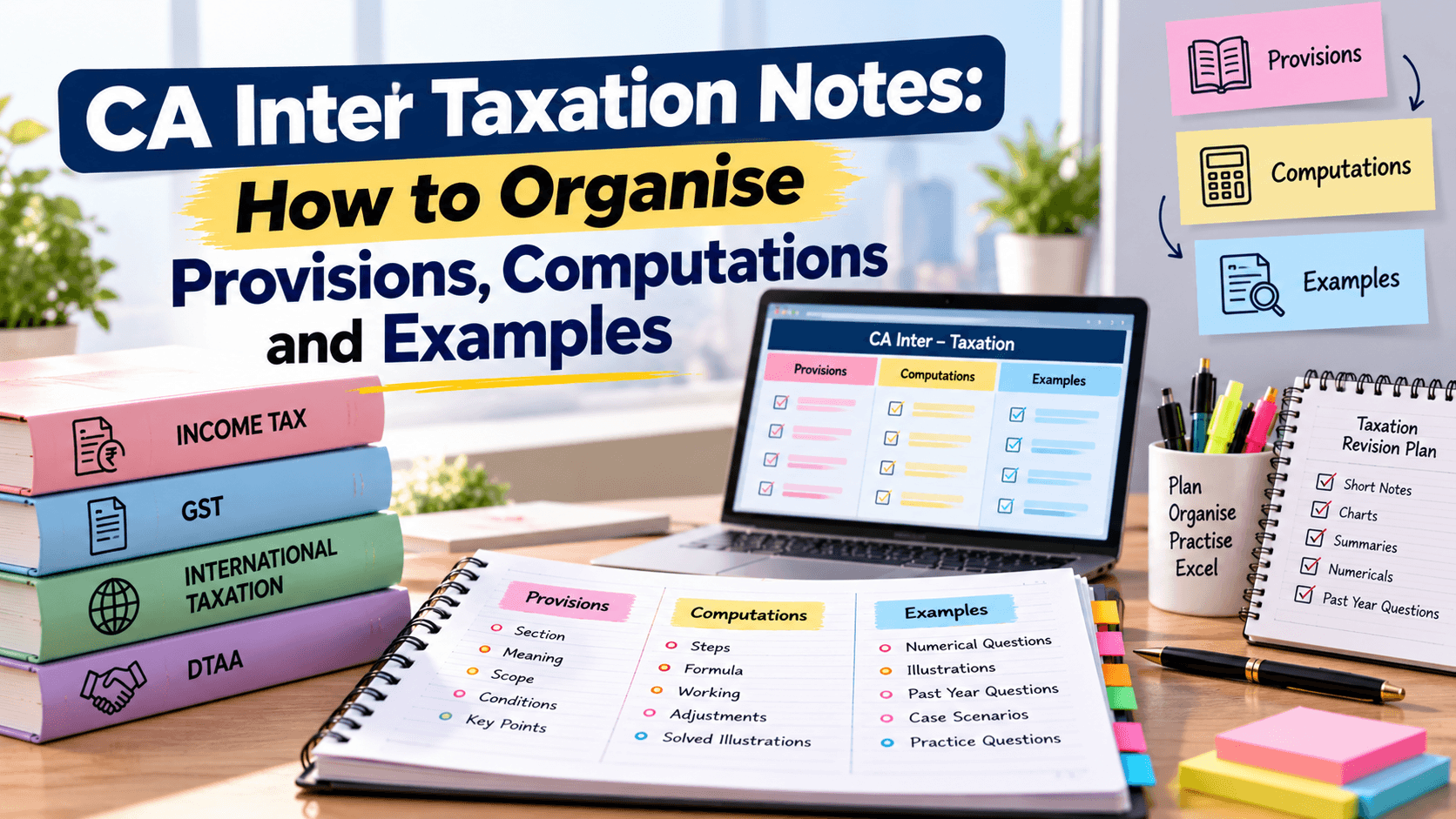
Use the same subfolders for each subject. A practical structure includes: official study material, class notes, concise revision notes, question practice, mock tests and corrections, and updates or amendments where relevant. If a subject does not need one of these folders, leave it out rather than filling it with unnecessary files.
The official material should remain easy to access because it is the reference point for concepts and technical accuracy. Your personal notes should capture explanations in your own words, important connections, difficult areas and mistakes from practice. Keep question papers and solutions together where possible, but clearly distinguish questions you have attempted from those you still need to solve.
For handwritten notes, use dividers or labelled sections. For digital notes, use the same folder names across both groups. This consistency reduces the time spent deciding where to store a new file and makes it easier to review a subject after a gap.
What to Keep in Each Resource Category
Each resource should have a clear purpose. Official study material supports detailed learning and checking. Class notes can clarify difficult explanations, while concise revision notes help you retrieve key points quickly. Practice questions build application and exam technique. Mock-test records show how well you can apply what you know under time limits.
Keep amendments, announcements or other time-sensitive material separate and label the date or relevant attempt. Before the exam, check the latest official information rather than assuming an older note is still valid. If a coaching resource conflicts with official material, investigate the difference and confirm the applicable position before adding it to your final notes.
Do not turn every resource into another full set of notes. Too many overlapping summaries can make revision harder. Choose one primary resource for learning, one concise resource for revision and a clearly tracked collection of practice questions.
Use a Resource Tracker to See What Is Complete
A simple tracker can show what you have studied, revised and tested in each subject. Add columns for chapter or topic, first study, notes prepared, practice completed, revision status, mock-test performance and next review date. Use short status labels such as Not Started, In Progress, Needs Revision and Ready for Review.
Update the tracker immediately after a study session. This small habit is more reliable than trying to remember your progress at the end of the week. It also helps you spot a common problem: a chapter may be marked as “completed” even though you have not solved questions or revised it since learning it.
Use the tracker to make decisions, not to decorate your study plan. If a topic has been studied but repeatedly produces mistakes in practice, mark it for another review. If you can solve questions accurately and recall the key points after a gap, move it to maintenance revision.
A Simple Resource Tracker Table
Use the following sample structure in a notebook, spreadsheet or digital planner. Adapt the labels to the subjects and requirements for your current CA attempt.
| Tracker field | What to record | Why it helps |
|---|---|---|
| Subject / chapter | Name the exact topic | Know what the task refers to |
| Study status | Not Started / In Progress / Complete | Track first-time learning |
| Notes status | Drafted / Checked / Revision-ready | Keep notes current |
| Question practice | Not attempted / Practised / Retest needed | Check application |
| Last revision | Enter the date | Avoid long gaps |
| Main mistake | Write one recurring issue | Target the next review |
| Next action | Add a specific task and date | Make progress actionable |
Keep Revision Notes Short and Easy to Scan
Revision notes should help you recall information, not force you to reread an entire chapter. Use headings, short explanations, formulas or provision summaries where relevant, and a small example if it helps you remember how a concept works. Highlight only the details that are important for understanding or applying the topic.
A useful page might include the core concept, key conditions or steps, common errors, a quick example and two or three self-test questions. Keep exceptions close to the rule they modify. If you use abbreviations, make sure they are clear and consistent. Notes that are too compressed can become confusing when you return to them weeks later.
Build the concise version after you have understood the topic. Trying to summarise unfamiliar material too early can lead to missing details or copying phrases without understanding them. Use the prescribed material to verify the summary whenever you are uncertain.
Organise Digital Notes and Physical Notes
For digital resources, use searchable file names and consistent folders. A name such as “Group 1 - Subject - Chapter - Revision Notes - Oct 2026” is more useful than “Notes new”. Keep backups of important files and make sure you can open them from the device you use for study. If you store files in a cloud service, check that the correct version is synchronised before relying on it.
For physical notes, label the front of each file or notebook with the group, subject and purpose. Use dividers for chapters and keep loose handouts in the right section as soon as possible. If you frequently refer to a printed question and its solution, store them together or add a clear cross-reference.
You can combine both formats: use printed notes for intensive problem-solving and digital files for amendments, searchable references and backups. The aim is not to maintain two complete systems, but to choose the format that makes each resource easiest to use.
Connect Notes With Practice Questions and Mock Tests
A resource folder is only useful if it leads to active practice. After revising a topic, solve questions without looking at the answer first. Then check the solution, identify the reason for any error and update your notes or mistake log where needed.
Keep a separate record of mock-test results for each subject. Record more than the score: note whether you lost marks because of a concept gap, a misread question, incomplete workings, poor presentation or time pressure. This information helps you choose what to revise next instead of repeatedly studying topics that already feel comfortable.
Try to link every recurring mistake to a specific page in your notes. For example, if you repeatedly forget a condition, add a brief reminder beside that rule. If the issue is a calculation sequence, write a short checklist and practise it again. This makes your study resources responsive to your actual performance.
Plan Revision Across Both Groups
When preparing both groups, plan your week so that each group receives attention without creating an unrealistic daily workload. The balance will depend on whether you are studying both groups together, preparing one group first or managing other responsibilities.
Use your tracker to select sessions based on priority. A subject with an upcoming test, a chapter with repeated errors or a topic that has not been revised for a while may deserve attention before a familiar chapter. Include short recall sessions alongside longer problem-solving blocks so that older material does not disappear while you focus on new topics.
Do not assume that every subject needs the same amount of time. Use test performance, syllabus coverage and your confidence with the material to adjust the plan. A weekly review can help you move study blocks when necessary without abandoning the overall structure.
Common Resource-Organisation Mistakes to Avoid
One common mistake is collecting too many teachers’ notes, PDFs and summaries. Different explanations can be helpful when a concept is unclear, but several overlapping resources for every chapter create extra decisions and make it harder to identify what to revise.
Another mistake is keeping practice questions separate from the learning notes without any link between them. If a question exposes a weakness, you should be able to find the relevant concept quickly. A third mistake is failing to label updates by date or attempt, which can lead to revising outdated information.
Finally, avoid spending hours formatting folders, colour-coding pages or designing elaborate trackers. Organisation should support study, not replace it. Start with a small system, maintain it after each session and change only what is causing a real problem.
How Studycaller Can Fit Into Your Study Routine
Studycaller can be part of a structured preparation routine when you need support with practice and revision. If you use a test series or other learning resources, store them under the relevant group and subject, and record what each test reveals about your preparation. Use the result to choose the next revision task rather than treating a score as the only measure of progress.
Before using any resource for a specific attempt, check its syllabus coverage, relevant updates and suitability for your CA level. Keep the current official study material and exam instructions as your reference point. A well-organised resource system should help you use practice resources effectively while keeping your preparation focused and manageable.
Final Checklist Before You Begin a Study Session
Before each session, know which subject and topic you will study, where the primary material is stored, what practice you plan to complete and how you will record the result. At the end, update your tracker, file any new material and note one clear next action.
Once a week, review both group folders. Remove duplicates, confirm that updates are labelled, check which chapters need another revision and plan the coming week around your progress. Before the exam, verify the current syllabus and official instructions so your final revision is based on the right material.
Organising CA notes is not about creating a perfect filing system. It is about making the next useful action obvious: learn the concept, practise it, correct mistakes and revise it at the right time. Keep the system simple enough to use every day, and let your practice results guide it.
CA Inter notes students love
Free notes from the Studycaller library, picked for this article.
Detailed Notes · CA Inter Corporate and Other Laws
Law Rapid Revision Book CA Shubham Singhal Sir
Keyur 115 99.3k
RTPs · CA Inter Taxation
BB DT Compiler (Question Bank) Latest Edition. May/Sept 26 and Jan 2027 exam.
Rahul 78 34.1k
Practice Questions · CA Inter FM AND SM
Ca inter fm most important questions just give 1 🏆.Bhot hardwork se Milla hai
Ashraf 50 20.3k
Amendment Notes · CA Inter Corporate and Other Laws
CA inter law notes By shubham singhal Detailed notes from may 25 onwards Follow for more....
Arya Shelke 47 24.5k
Frequently asked questions
How should I organise CA Group 1 and Group 2 notes?
Create separate main folders for Group 1 and Group 2, then use the same subject-level structure within each. Keep shared items such as your master calendar and general mistake tracker in one common location.
Should I keep separate notebooks for every CA subject?
Separate notebooks or folders can make subject revision easier, but you do not need to duplicate every resource. Choose a format you can maintain and use consistent labels so you can locate topics quickly.
What should a CA revision folder contain?
Keep concise revision notes, practice questions, mock-test feedback, a mistake log and relevant updates. Maintain access to official study material for detailed explanations and technical verification.
How can I avoid collecting too many CA study resources?
Choose one primary source for learning, one concise revision format and a tracked set of practice questions. Add another resource only when it solves a specific problem or clarifies a difficult concept.
Is a digital tracker useful for CA exam preparation?
Yes. A digital tracker can make it easier to update progress, search topics and plan reviews. A notebook works too; the key is to record study, practice, revision and the next action consistently.
How often should I update my CA notes?
Update notes after studying a topic and after practice reveals an error or missing point. Review your tracker weekly and verify time-sensitive material against the latest official information for your attempt.
How should I label CA notes and PDFs?
Use a consistent naming pattern that includes group, subject, chapter, resource type and date or attempt when relevant. Avoid vague names such as “new notes” and keep only one clearly identified current version.
How do I organise mock-test papers and solutions?
Store each paper with its solution or evaluation, then record the score and main reasons for lost marks. Link recurring errors to the relevant chapter notes so practice directly informs revision.
Can I prepare both CA groups using one timetable?
Yes. A single master timetable can show study blocks for both groups, while separate group folders keep resources distinct. Adjust the balance according to syllabus coverage, test results and the time available.
How can Studycaller support my CA study routine?
Studycaller can fit into your preparation as a practice and revision resource where suitable. Track your test work by group and subject, use feedback to identify gaps, and verify technical content with current official material.